Every tool
your edit needs.
Carousels, transitions, motion curves, auto edits, relighting, cutouts, downloads. All inside Premiere Pro, free to start.
Free to download. Tested on Premiere Pro 2026; 2025 and 2024 work too, on Windows and Mac. The basics stay free forever, Pro unlocks every tool, cancel any time.


Auto Edit cleans your talking head, or your whole podcast, in one run.
Silence, repeated takes and filler words found for you. Review, then apply.
- Every cut shown per word before it happens
- Podcast mode: cameras synced, cut to whoever talks
Hey everyone, ··· 2.3s so today we're looking at the new rooftop lounge, the new rooftop lounge and honestly um it's ··· 1.8s bigger than I expected. Like there's a pool up here, a bar, and this third tower you can see from the deck. It's damn impressive.
- Synced Cam Sarah to the mics: moved 0.42 s earlier
- 38 silences cut, 6:50 shorter
- 57 shots on V3, camera tracks muted
- 9:16 version created
Give a clip an entrance, an exit and a curve you draw yourself.
Pick how it comes in and how it goes out, then bend the easing by hand.
- Twelve entrances, twelve exits, mixed freely
- Real keyframes on an adjustment layer, with motion blur
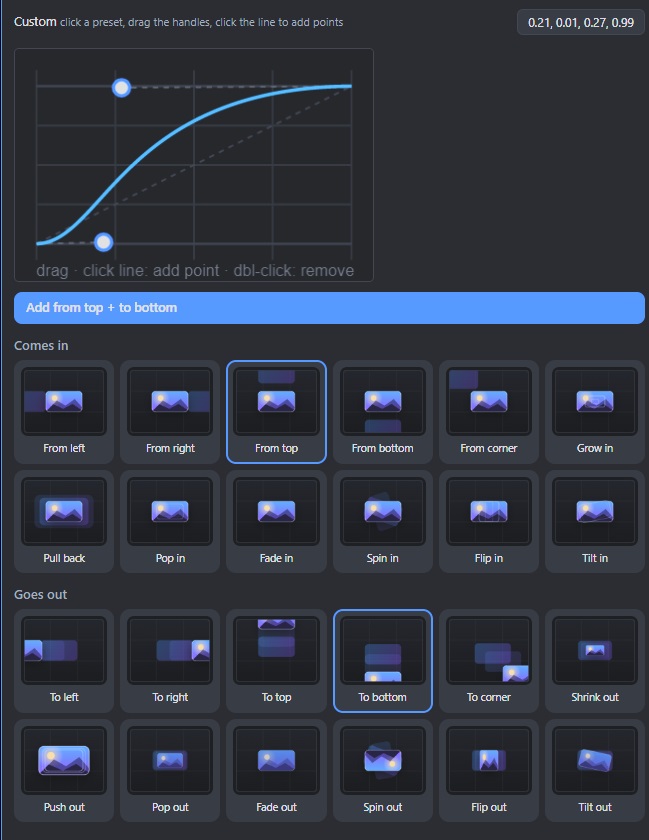
Transitions that are real keyframes, not a plugin.
Click one, it lands on the cut as keyframes you can still edit.
- Slides, whips, zooms, spins, glitches, dips
- Curve editor, apply to every cut at once
Draw a mask. It lands on Opacity by itself.
Press Mask, draw with Premiere's own mask tools, and the drag to Opacity is done for you. On the clip, or on a copy above it so the original stays whole.
- Object, ellipse, rectangle or pen; hold the button to pick
- 2 clicks, done
3D Carousel spins your photos and clips. One click.
Drop in photos or clips, pick a template, press Add to timeline.
- 74 templates, photos and video in the cards
- Lands on your timeline, editable later
Light the shot after you shot it.
Drop lights on any clip and watch it change live. Renders on your GPU.
- Key, rim, spot and neon lights, or a preset
- Ground shadow and leaf shadows for cutouts
The rest of the panel.
Smaller tools, same panel.
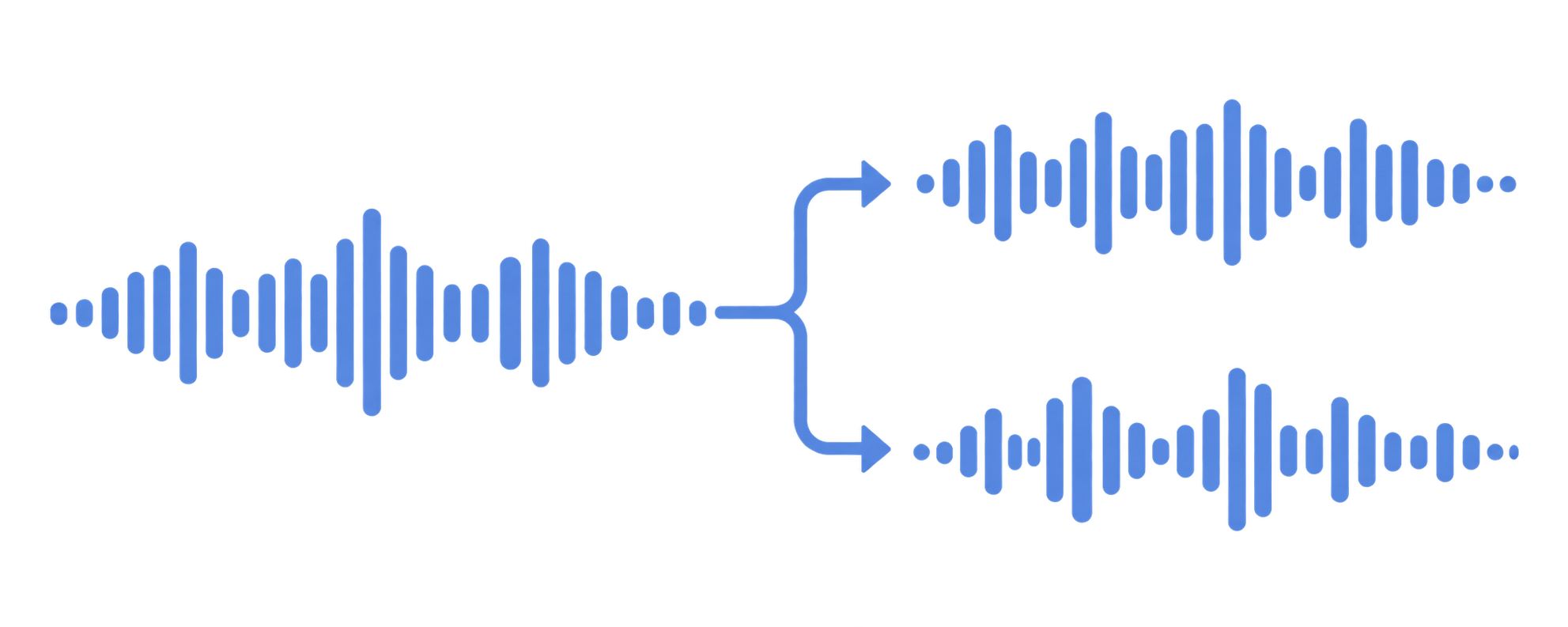
Remove music
Keep the voice, drop the music. Or the other way round.
See what it removes → FreeMask
Draw a mask, it lands on Opacity by itself. 2 clicks, done.
How it works → FreeDownload media
YouTube, Instagram, TikTok, straight onto the timeline.
Paste a link → FreeTimeline tools
Seventeen one-click buttons next to your timeline.
All the shortcuts → FreeQuick FX wheel
Your effect presets on a radial menu. Ctrl+Alt+X.
Spin it → Free





Stock media
Photos, video, music and GIFs, straight into your project.
Search →Download, install, log in. That is the setup.
Download the panel
Log in and grab the zip from your account page.
Install
Close Premiere, run the installer. No admin rights.
Open Window › Extensions
Outflow Studio appears like any panel. Log in, done.
Start free. Unlock when it pays for itself.
Free is a real tool, not a trial. Pro is one price for everything. $149 the first year, 4 months free.
Free
forever
- Try the 3D Carousel, 3 free exports
- Try all 79 transitions, 3 free exports
- Motion Curves and Zoom Montage, 3 free exports each
- Download media from YouTube and TikTok, 3 free downloads
- Mask, 3 free masks
- Timeline sidebar and Quick FX wheel
- Stock media search
Pro · Yearly 4 months free
billed $149 the first year, 4 months free · then $190 a year ($15.83 a month)
- Unlimited 3D Carousel
- Unlimited transitions
- Auto Edit, Remove music, Remove background
- Every new tool as it ships
- 2 computers
Pro · Monthly
cancel any time
- Unlimited 3D Carousel
- Unlimited transitions
- Auto Edit and all assistants
- Remove music, overlays, captions
- 2 computers
Compare every feature
Everything in one panel. Free is real, Pro removes the limits. |
Free $0 forever Download free |
Pro · Yearly Best value $12.42/month $149 the first year · then $190 |
Pro · Monthly $19/month cancel any time |
|---|---|---|---|
| Creative | |||
| 3D Carousel exports | 3, then it locks | Unlimited | Unlimited |
| Transition exports | 3, then it locks | Unlimited | Unlimited |
| Masks | 3, then it locks | Unlimited | Unlimited |
| Motion Curves exports | 3, then it locks | Unlimited | Unlimited |
| Zoom Montage exports | 3, then it locks | Unlimited | Unlimited |
| 74 carousel templates, 79 transitions | ✓ | ✓ | ✓ |
| Motion curve editor, 3D gizmo, live previews | ✓ | ✓ | ✓ |
| Auto Edit | |||
| Cut silence | ✕ | ✓ | ✓ |
| Transcription on your PC, 90+ languages | ✕ | ✓ | ✓ |
| Repeated takes, filler words, profanity | ✕ | ✓ | ✓ |
| Podcast mode: sync cameras, cut to whoever talks, zooms | ✕ | ✓ | ✓ |
| Word captions, Reframe Pack, Beat Markers | ✕ | ✓ | ✓ |
| Audio edit | |||
| Remove music, extract vocals | ✕ | ✓ | ✓ |
| Isolate voice, remove echo | ✕ | ✓ | ✓ |
| VFX | |||
| Relight: lights, shadows and colour on any clip | ✕ | ✓ | ✓ |
| Point and spot lights, top view, presets, ground shadow, dappled light, colour | ✓ | ✓ | ✓ |
| Remove background, no green screen | ✕ | ✓ | ✓ |
| Live edge preview, edge clean-up, Best quality model | ✕ | ✓ | ✓ |
| Media | |||
| Download media: YouTube, TikTok, Instagram, X, Vimeo | 3, then it locks | ✓ | ✓ |
| Stock photos, video, GIFs and sounds | ✓ | ✓ | ✓ |
| Timeline | |||
| Sidebar with seventeen one-click tools | ✓ | ✓ | ✓ |
| Quick FX wheel | ✓ | ✓ | ✓ |
| Overlays, chapters, lower thirds, watermark | ✓ | ✓ | ✓ |
| Account | |||
| Computers | 1 | 2 | 2 |
| One-click updates | ✓ | ✓ | ✓ |
| Every new tool as it ships | ✕ | ✓ | ✓ |
| Support | Priority | Priority | |
Secure checkout by Stripe, prices include VAT where it applies · cancel any time from your account · 14-day refund, no questions asked · Terms
Frequently asked
Is it really free?
Yes. With a free account the 3D Carousel, all 79 transitions, Motion Curves, Zoom Montage, Download media and Mask each give you three free goes to try them with, and the timeline sidebar, the Quick FX wheel and stock search have no limit at all. Pro removes the limits and adds Auto Edit, Relight and Remove music.
Which Premiere Pro versions and platforms?
Premiere Pro 2026, 2025 and 2024 on Windows and Mac. Tested on Premiere Pro 2026 (26.0.0, build 72) on Windows; 2025 and 2024 work the same way.
Does my footage leave my computer?
No. Transcription, audio separation and rendering all run on your PC. The only thing that talks to our server is your login.
Do I need After Effects or other plugins?
No. Carousels are rendered by the panel and placed as transparent image sequences; transitions are ordinary keyframes on Premiere's built-in effects. Projects open fine on machines without the panel.
Can I cancel or get a refund?
Cancel any time from your account page; you keep Pro until the end of the period. If Pro is not for you, email us within 14 days of your first payment and we refund it, no questions asked.
How many computers?
Pro and the creative-tools unlock work on two computers. The free plan on one. Log out inside the panel to free a seat.
Your next edit, with the boring parts done.
Free forever for the basics. Two minutes to install.